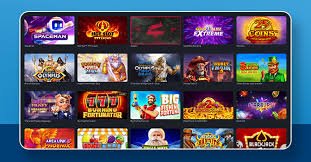
The ph8 mobile app turns your phone into a complete gaming station. Live betting, deposits, withdrawals — all in one app, from anywhere.
Platform
Android APK or iOS web app — both methods are straightforward.
Download the ph8 Android app directly as an APK file. No Google Play needed — installation is quick and simple.
IPhone and iPad users can open ph8.lv in Safari and add it to their home screen for a full app-like experience.
Step-by-step instructions
Download the Android APK file from the ph8.lv download page. The file will be saved to your phone's Downloads folder.
Go to Settings → Security → Unknown Sources and enable it, or when prompted after opening the downloaded file, tap "Allow".
Open the downloaded ph8 APK file from your File Manager or Downloads app. The installation will begin automatically.
Once installation is complete, open the app, log in to your ph8 account, and start playing right away.
Open Safari on your iPhone or iPad. It must be Safari — not Chrome.
Type ph8.lv in the address bar and press Enter. Wait for the website to fully load.
Tap the Share icon in the bottom toolbar (the box with an arrow), then select "Add to Home Screen".
Keep the name as "ph8" and tap "Add". The ph8 icon will appear on your home screen.
App features
One app, everything — the complete gaming experience in your hands.
Details
Smartphone usage in Bangladesh has grown so much that most people spend more time on their phones than on a computer. With that in mind, ph8 has made its mobile app a top priority.
The ph8 Android app is just a few megabytes, but it packs the full gaming platform inside. From deposits and withdrawals to live Sports Betting and casino games — everything is handled in one app.
You might wonder whether installing from an APK file is safe. The answer is yes — the official ph8 APK is completely safe. It is downloaded directly from ph8.lv, not from any third-party website, and contains no malware or trackers.
Ph8's iOS solution is equally smart. Without a separate App Store listing, iPhone users enjoy a native app-like experience through PWA (Progressive Web App) technology. Adding it to your home screen via Safari launches the app in full-screen mode with no browser address bar in sight.
Logging into the mobile app is even easier with biometric authentication. Use your Android fingerprint or iPhone Face ID to access your ph8 account in just one second.
The app updates continuously. When new games, betting markets, or payment methods are added, the app updates itself automatically — no manual update required.

Only APKs downloaded from ph8.lv are safe. Always use the official site.
Comparison
| Features | Ph8 App | Mobile Browser |
|---|---|---|
| Loading Speed | Much faster | Comparatively slower |
| Push Notifications | Full Support | Limited |
| Biometric Login | Fingerprint / Face ID | None |
| Dark mode | Built-in | System-dependent |
| Offline access | Partial support | None |
| Home Screen Icon | Automatic | Must be added manually |
That said, ph8 is fully accessible via browser too. If you prefer not to download the app, ph8.lv works great on any mobile browser.
FAQs
The best gaming experience, now in your pocket. Available for both Android and iOS.